Views
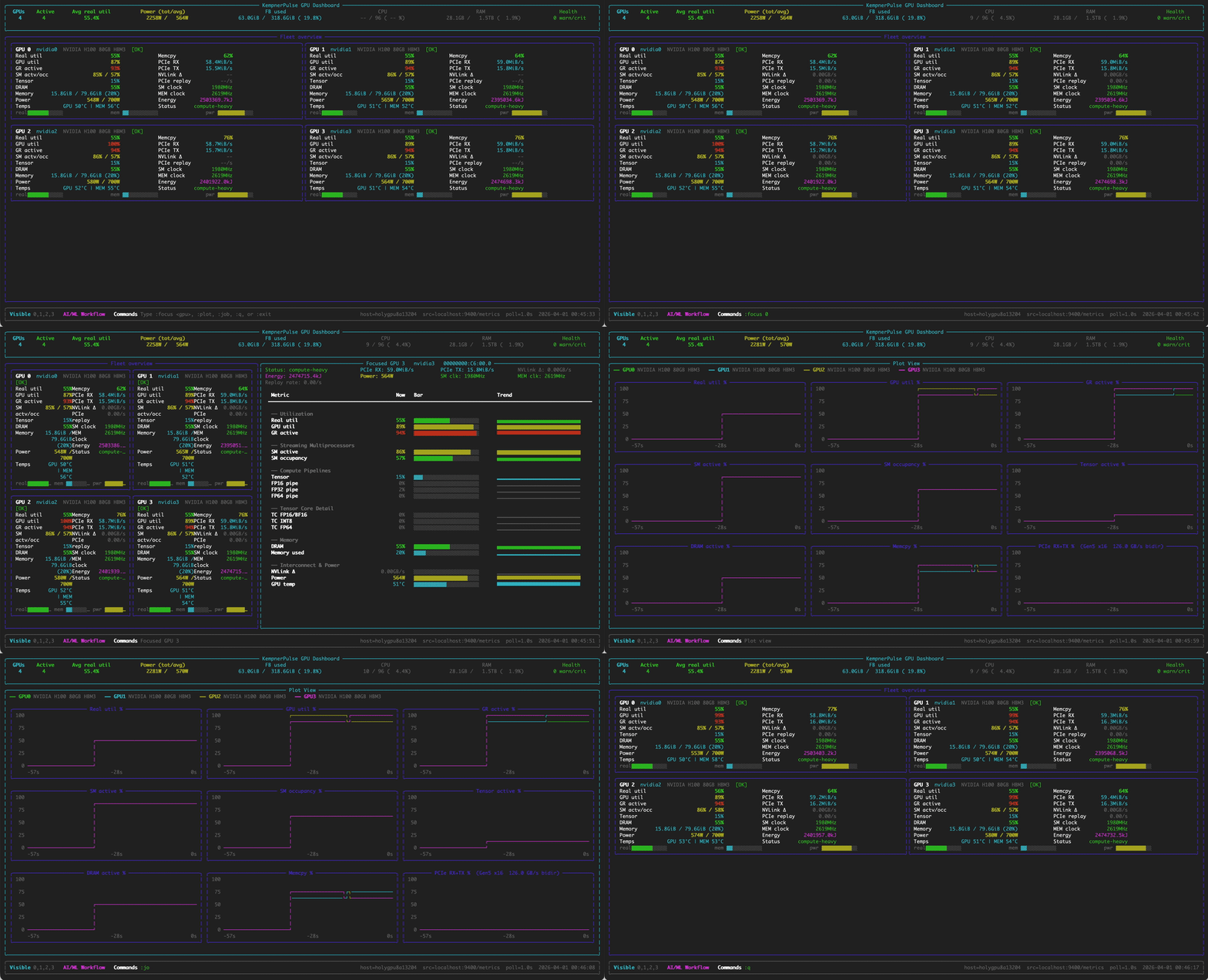
KempnerPulse has four interactive views. Switch between them with the
:-commands while the dashboard runs (see Command-line reference).
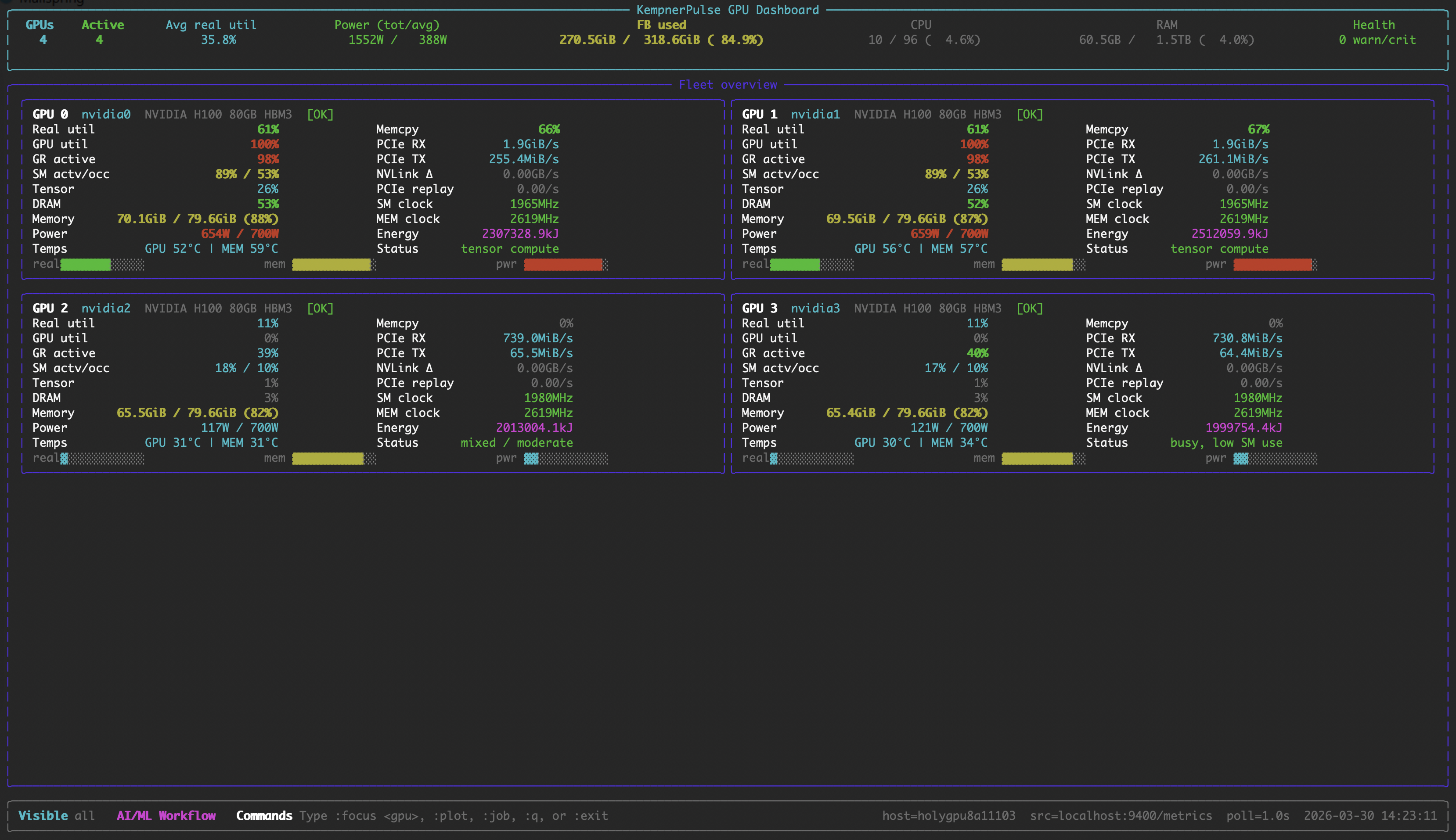
Fleet view
All GPUs at a glance — Real Utilization, memory, power, temperature, PCIe/NVLink bandwidth, and sparkline bars. This is the default view.
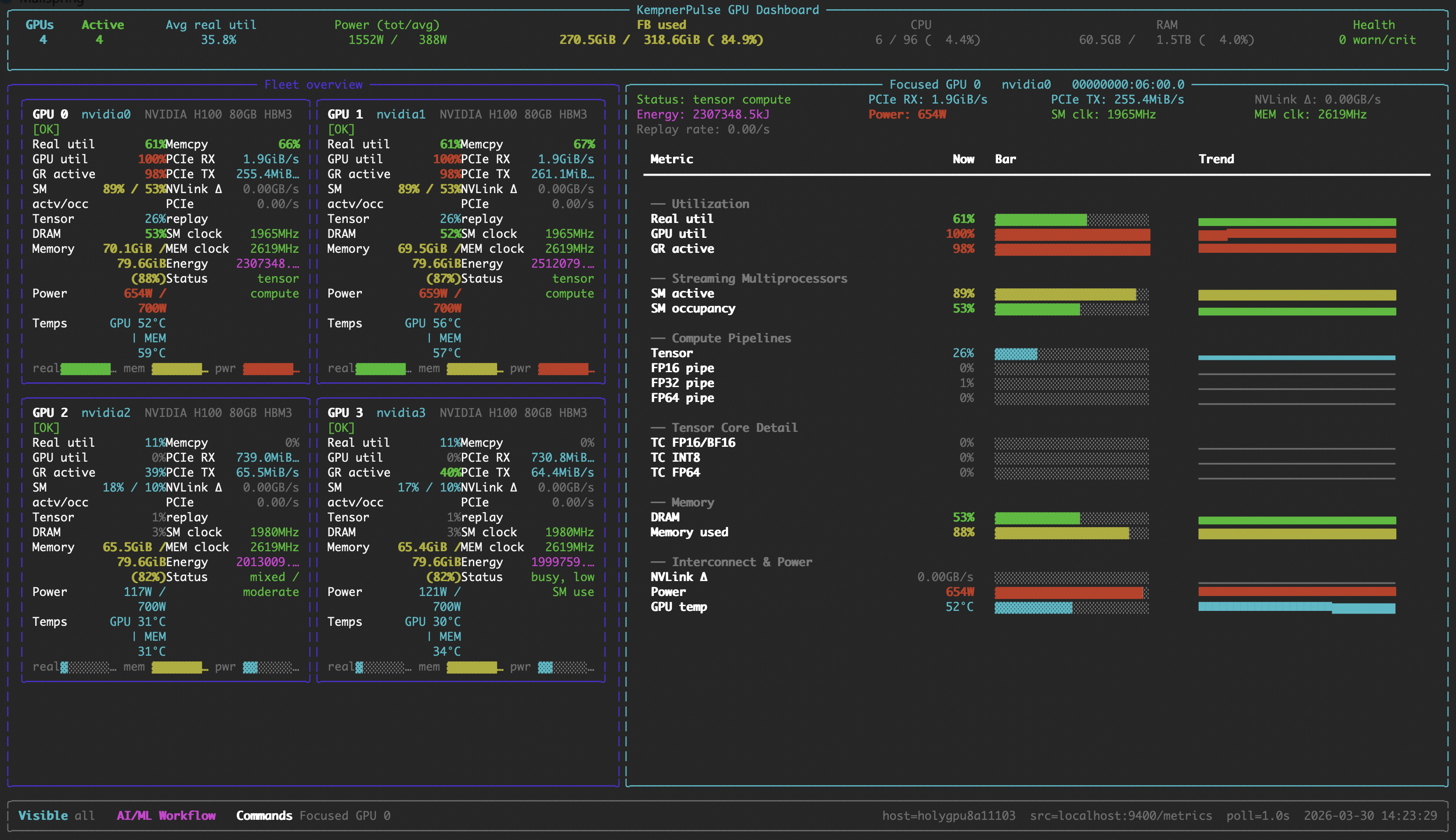
Focus view
One GPU in depth, with a per-metric table and sparkline history. Enter with
:focus <id>.
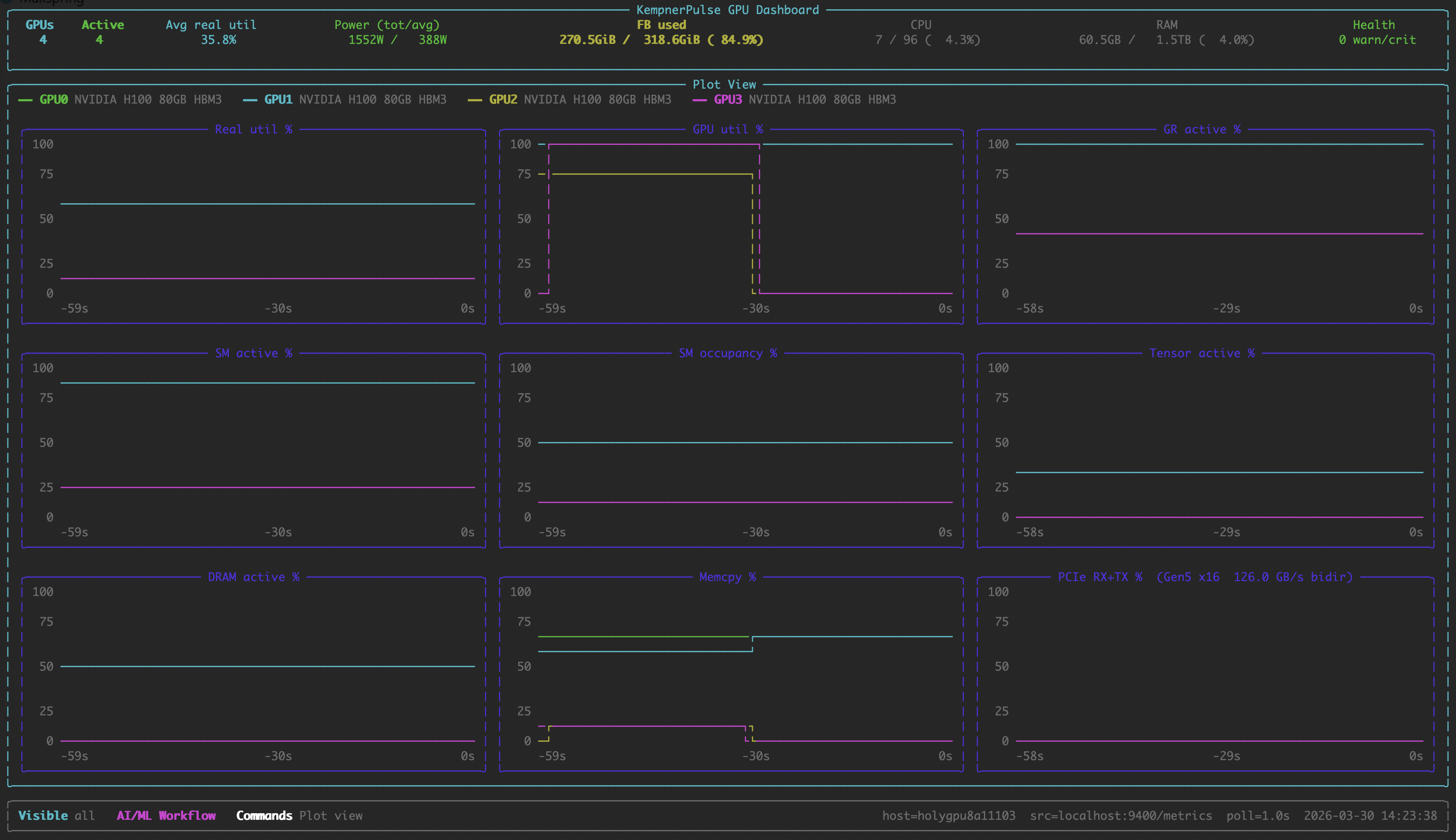
Plot view
Line charts of each metric across all GPUs over the recent history window. Enter
with :plot.
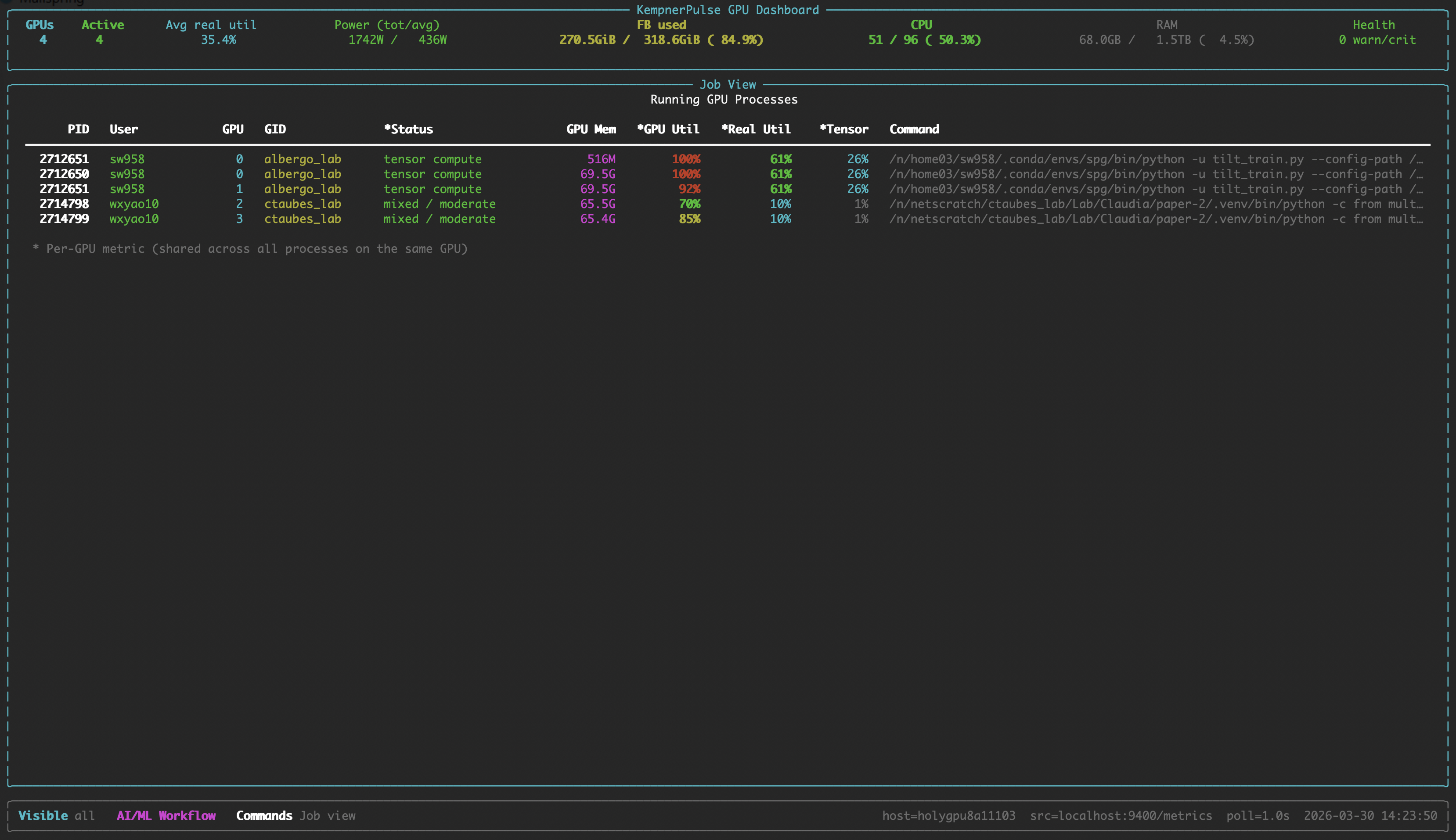
Job view
The running GPU compute processes, with the per-GPU status/utilization for each.
Enter with :job.